
kdb Visual Studio Code Extension
The kdb Visual Studio Code Extension offers kdb developers an extensive set of features to create and edit q files. It’s a great way to get started in q as it comes bundled with an in-built q process, and is compatible with kdb Insights Enterprise.
Task
I worked on a number of features, but will focus on two:
- Onboarding users
- Support for multiple scratchpads
Collaboration
I was the designer in the scrum team responsible for developing the kdb Visual Studio Code Extension.
Design System
As a Designer, it’s great to have unlimited opportunity when comes to building designs, but sometimes you need to work within an existing framework. Visual Studio Code has a defined set of UX Guidelines to follow and formed the basis of the design.
User Persona and Journey Development
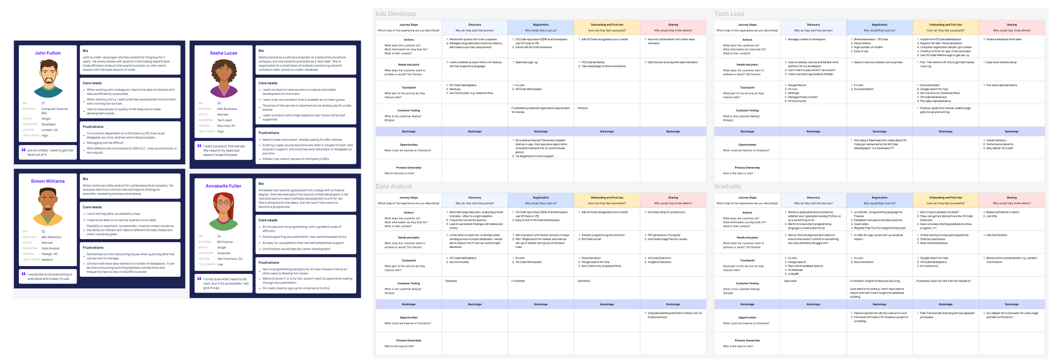
I focused on four possible users who may be interested in, but have different levels of experience with, q/kdb.
- kdb Developer
- A KX Client Tech Lead
- Data Analyst
- Finance Graduate
And mapped out their respective journey and interaction with the kdb VS Code Extension
Onboarding Users
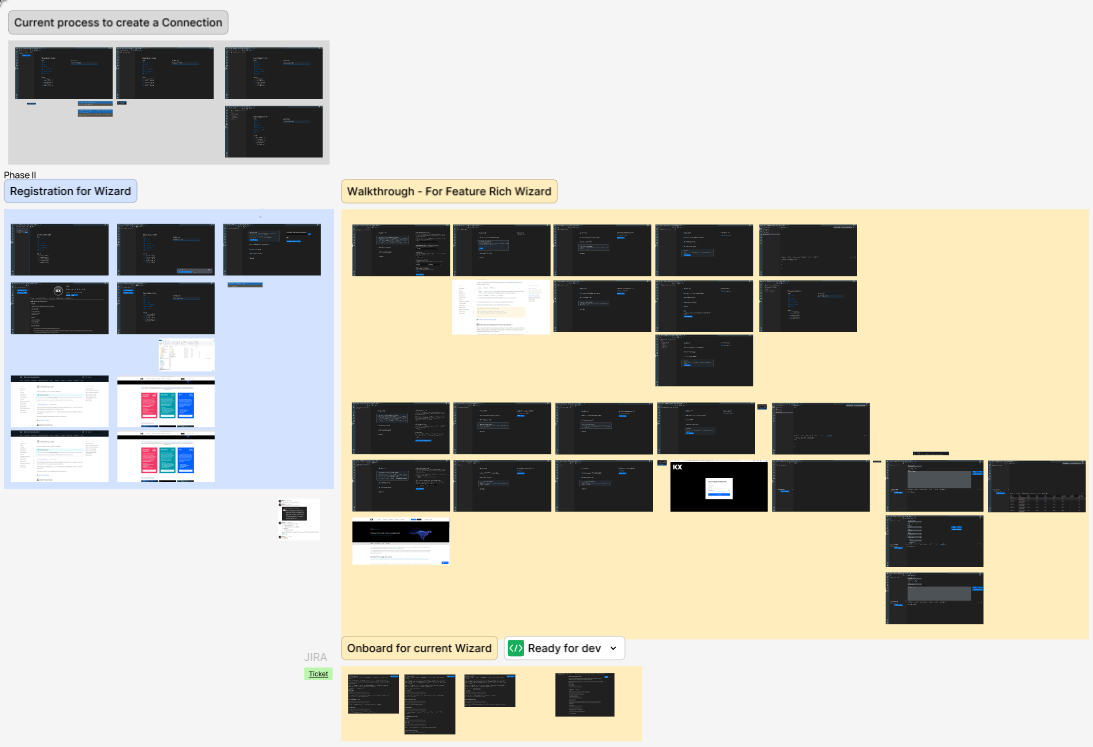
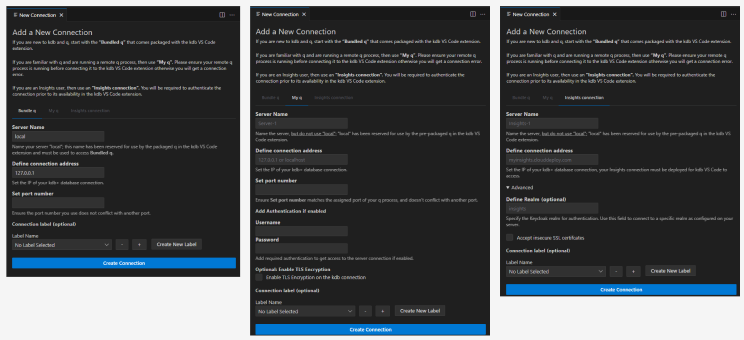
I revised the connection menu and createad an updated walkthrough to help users orientate to the product.
The connection menu included the child q process best used by new users, but previously hard to find without referencing the documentation (assuming the documentation was even looked at). More experienced users can add remote or kdb Insights Enterprise host connections through the same menu. Each connection option offers simple instructions to avoid having to go the documentation.
The connection wizard was compatible with the existing connection setup, so users familiar with the original method could continue to do so.
Released Version
As available on v1.9.1; 2025-01-08
Multiple Scratchpads
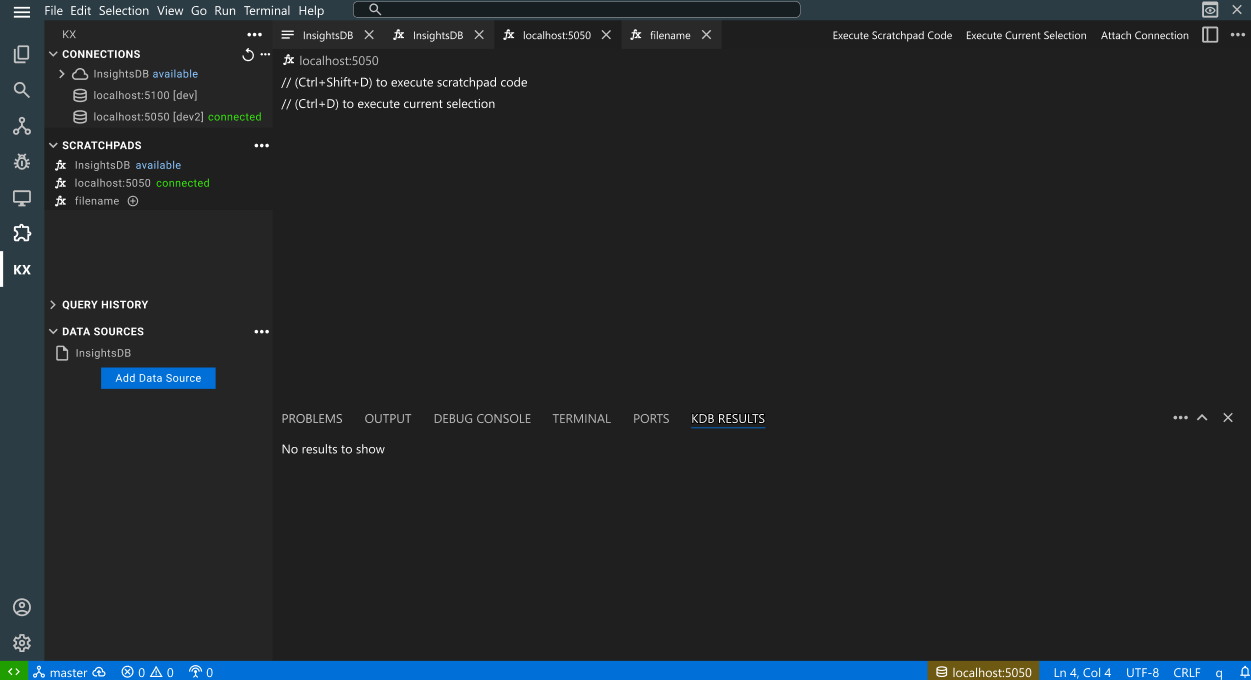
Experienced kdb developers use multiple scratchpads for querying, often targeting different environments. The challenge was to ensure a developer could see the connection a query was run against. This is of particular relevance for production environments, as running test code against a production environment could have serious consequences.
The solution was to use coloured text to illustrate the active server connection and scratchpad in the sidebar. In addition, the active connection was highlighted in the status bar, although the choice of colour to illustrate this was limited.
Finally, the scratchpad editor contained details of the associated connection within the editor.
Prototype
Released Version
As available on v1.9.1; 2025-01-08
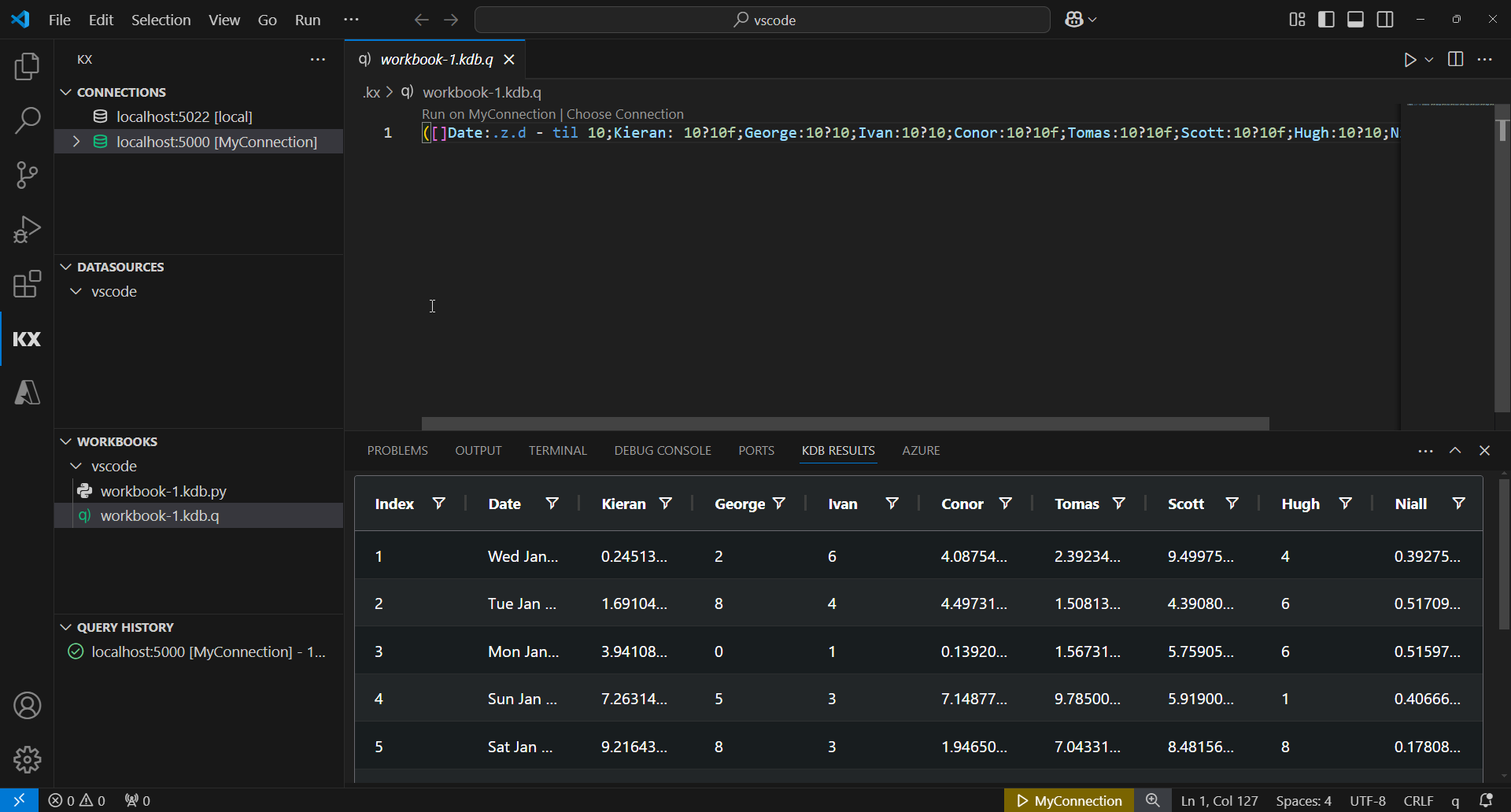
The connection colour has since updated from coloured text to coloured icon. In the initial design it was my preference to use coloured icons, but concerns were raised about the visibility of the connection information. I’m happy the team returned to colourising the icon, it’s a cleaner design, although a little harder to decern what workspace (the new name for scratchpad) is associated with an active connection. Other aspects of the design were adopted.
Additional Improvements
In additon to design changes, improvements were made to improve the media visibility of the product, although reference to the kdb Visual Studio Code Extension remains absent from KX.com.
- Improved documentation for the application
- Added reference documentation to code.kx.com for SEO and searchability
- Adding product reviews to the Virtual Studio Code Marketplace
- Added content to the KX Community, linking back to the Marketplace.
See the Research
"I've worked with Declan in various engagements over the past decade. His domain and business acumen are second to none. During this time, he has been key in designing and developing multiple visualization and data analysis tools provided by Kx. This includes his ground-up BA and design work delivering the Dashboard product and its integration to many other products within Kx
Working with Declan is always positive, his expertise shines through quickly and the collaboration always leads to significant client value for the products he works on.”
— Brendan McCallister, SVP Product Technical Lead at KX